

evaluate()를 사용하여 evaluator를 정의하고 pairwise evaluation을 실행합니다. 마지막으로 LangSmith UI를 사용하여 pairwise experiment를 확인합니다.
사전 요구사항
- 비교할 experiment를 아직 생성하지 않았다면, 빠른 시작 또는 사용 방법 가이드를 확인하여 evaluation을 시작하세요.
- 이 가이드는
langsmithPython 버전>=0.2.0또는 JS 버전>=0.2.9가 필요합니다.
두 개 이상의 기존 experiment와 함께
evaluate_comparative()를 사용할 수도 있습니다.evaluate() comparative args
가장 간단하게, evaluate / aevaluate 함수는 다음 인수를 받습니다:
| Argument | Description |
|---|---|
target | 서로 비교하여 평가하려는 두 개의 기존 experiment 목록입니다. uuid 또는 experiment 이름을 사용할 수 있습니다. |
evaluators | 이 evaluation에 연결하려는 pairwise evaluator의 목록입니다. 이를 정의하는 방법은 아래 섹션을 참조하세요. |
| Argument | Description |
|---|---|
randomize_order / randomizeOrder | 각 evaluation에 대해 output의 순서를 무작위로 지정할지 여부를 나타내는 선택적 boolean입니다. 이는 prompt에서 위치 편향을 최소화하기 위한 전략입니다: 종종 LLM은 순서에 따라 응답 중 하나에 편향됩니다. 이는 주로 prompt engineering을 통해 해결해야 하지만, 이것은 또 다른 선택적 완화 방법입니다. 기본값은 False입니다. |
experiment_prefix / experimentPrefix | pairwise experiment 이름의 시작 부분에 추가될 접두사입니다. 기본값은 None입니다. |
description | pairwise experiment의 설명입니다. 기본값은 None입니다. |
max_concurrency / maxConcurrency | 실행할 최대 동시 evaluation 수입니다. 기본값은 5입니다. |
client | 사용할 LangSmith client입니다. 기본값은 None입니다. |
metadata | pairwise experiment에 첨부할 metadata입니다. 기본값은 None입니다. |
load_nested / loadNested | experiment에 대한 모든 하위 run을 로드할지 여부입니다. False인 경우 root trace만 evaluator에 전달됩니다. 기본값은 False입니다. |
Pairwise evaluator 정의
Pairwise evaluator는 예상되는 시그니처를 가진 함수일 뿐입니다.Evaluator args
사용자 정의 evaluator 함수는 특정 인수 이름을 가져야 합니다. 다음 인수의 하위 집합을 사용할 수 있습니다:inputs: dict: dataset의 단일 example에 해당하는 input의 dictionary입니다.outputs: list[dict]: 주어진 input에 대해 각 experiment가 생성한 dict output의 두 항목 목록입니다.reference_outputs/referenceOutputs: dict: 사용 가능한 경우 example과 연결된 reference output의 dictionary입니다.runs: list[Run]: 주어진 example에 대해 두 experiment가 생성한 전체 Run 객체의 두 항목 목록입니다. 각 run의 중간 단계 또는 metadata에 액세스해야 하는 경우 사용합니다.example: Example: example input, output(사용 가능한 경우) 및 metadata(사용 가능한 경우)를 포함한 전체 dataset Example입니다.
inputs, outputs, reference_outputs / referenceOutputs만 필요합니다. runs와 example은 애플리케이션의 실제 input 및 output 외부의 추가 trace 또는 example metadata가 필요한 경우에만 유용합니다.
Evaluator output
사용자 정의 evaluator는 다음 유형 중 하나를 반환해야 합니다: Python 및 JS/TS-
dict: 다음 키를 가진 dictionary:key, 로그될 feedback key를 나타냅니다scores, run ID에서 해당 run의 점수로의 매핑입니다.comment, 문자열입니다. 모델 추론에 가장 일반적으로 사용됩니다.
list[int | float | bool]: 점수의 두 항목 목록입니다. 목록은runs/outputsevaluator args와 동일한 순서를 가진다고 가정합니다. evaluator 함수 이름이 feedback key로 사용됩니다.
pairwise_ 또는 ranked_ 접두사를 붙이는 것을 권장합니다.
Pairwise evaluation 실행
다음 예제는 두 AI assistant 응답 중 어느 것이 더 나은지 LLM에게 결정하도록 요청하는 prompt를 사용합니다. structured output을 사용하여 AI의 응답을 파싱합니다: 0, 1 또는 2.아래 Python 예제에서는 LangChain Hub에서 이 structured prompt를 가져와 LangChain chat model wrapper와 함께 사용하고 있습니다.LangChain 사용은 완전히 선택 사항입니다. 이 점을 설명하기 위해 TypeScript 예제는 OpenAI SDK를 직접 사용합니다.
- Python:
langsmith>=0.2.0필요 - TypeScript:
langsmith>=0.2.9필요
Pairwise experiment 보기
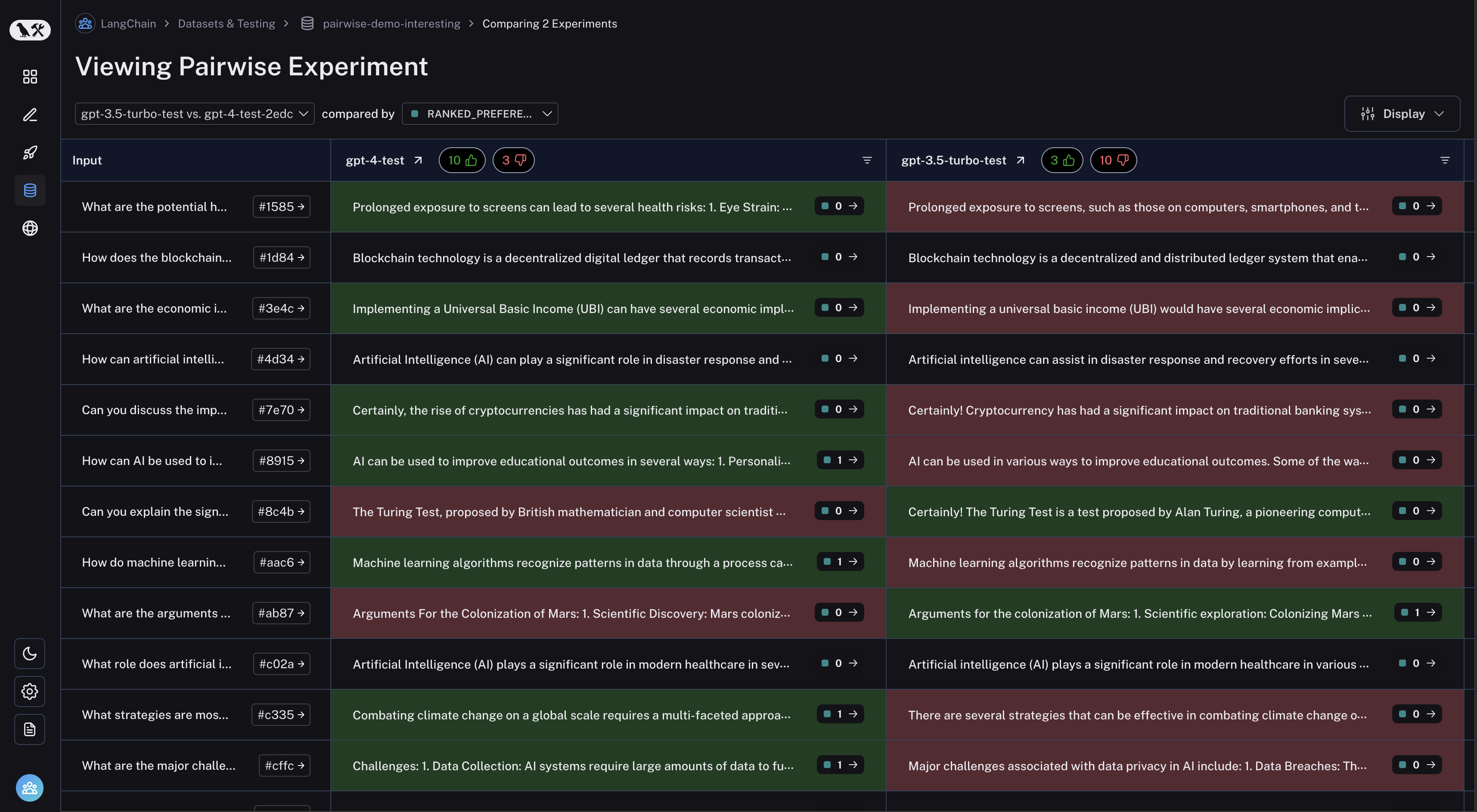
dataset 페이지에서 “Pairwise Experiments” 탭으로 이동합니다: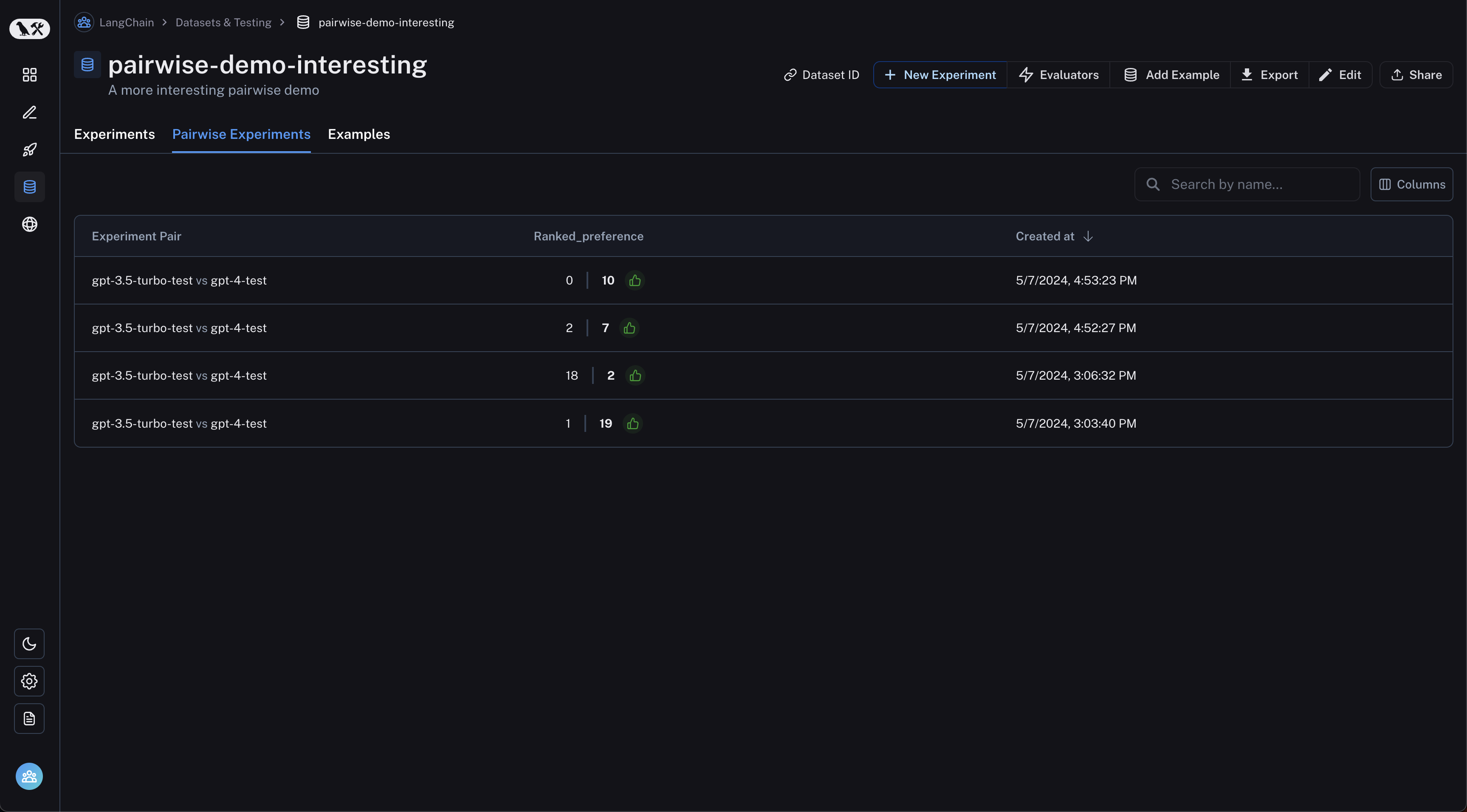 검사하려는 pairwise experiment를 클릭하면 Comparison View로 이동합니다:
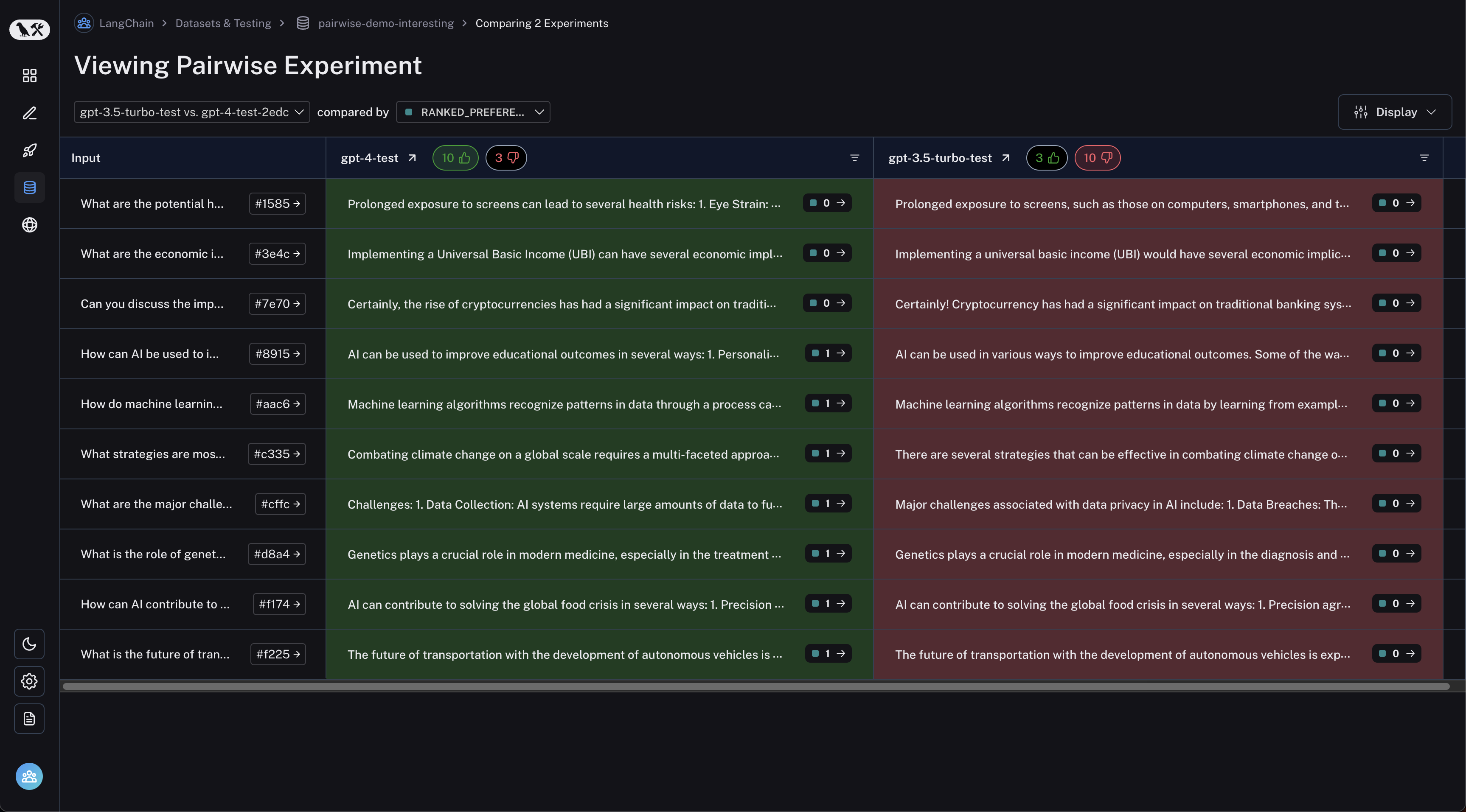
 테이블 헤더의 thumbs up/thumbs down 버튼을 클릭하여 첫 번째 experiment가 더 나은 run 또는 그 반대로 필터링할 수 있습니다:
Connect these docs programmatically to Claude, VSCode, and more via MCP for real-time answers.