일부 상황에서는 개인정보 보호 또는 보안상의 이유로 trace의 입력 및 출력이 로깅되는 것을 방지해야 할 수 있습니다. LangSmith는 trace의 입력 및 출력이 LangSmith 백엔드로 전송되기 전에 필터링할 수 있는 방법을 제공합니다.
trace의 입력 및 출력을 완전히 숨기려면 애플리케이션을 실행할 때 다음 환경 변수를 설정할 수 있습니다:
LANGSMITH_HIDE_INPUTS=true
LANGSMITH_HIDE_OUTPUTS=true
Client 인스턴스에 대해 이 동작을 사용자 정의하고 재정의할 수도 있습니다. 이는 Client 객체에서 hide_inputs 및 hide_outputs 매개변수를 설정하여 수행할 수 있습니다(TypeScript에서는 hideInputs 및 hideOutputs).
아래 예제에서는 hide_inputs 및 hide_outputs 모두에 대해 빈 객체를 반환하지만, 필요에 따라 사용자 정의할 수 있습니다.
import openai
from langsmith import Client
from langsmith.wrappers import wrap_openai

openai_client = wrap_openai(openai.Client())
langsmith_client = Client(
    hide_inputs=lambda inputs: {}, hide_outputs=lambda outputs: {}
)

# The trace produced will have its metadata present, but the inputs will be hidden
openai_client.chat.completions.create(
    model="gpt-4o-mini",
    messages=[
        {"role": "system", "content": "You are a helpful assistant."},
        {"role": "user", "content": "Hello!"},
    ],
    langsmith_extra={"client": langsmith_client},
)

# The trace produced will not have hidden inputs and outputs
openai_client.chat.completions.create(
    model="gpt-4o-mini",
    messages=[
        {"role": "system", "content": "You are a helpful assistant."},
        {"role": "user", "content": "Hello!"},
    ],
)
입력 및 출력의 규칙 기반 마스킹
이 기능은 다음 LangSmith SDK 버전에서 사용할 수 있습니다:
- Python: 0.1.81 이상
- TypeScript: 0.1.33 이상
create_anonymizer / createAnonymizer 함수를 사용하고 client를 인스턴스화할 때 새로 생성된 anonymizer를 전달할 수 있습니다. anonymizer는 정규식 패턴 목록과 대체 값으로 구성하거나 문자열 값을 받아 반환하는 함수로 구성할 수 있습니다.
LANGSMITH_HIDE_INPUTS = true인 경우 입력에 대해 anonymizer가 건너뛰어집니다. LANGSMITH_HIDE_OUTPUTS = true인 경우 출력에 대해서도 동일하게 적용됩니다.
그러나 입력 또는 출력이 client로 전송되는 경우 anonymizer 메서드가 hide_inputs 및 hide_outputs에 있는 함수보다 우선합니다. 기본적으로 create_anonymizer는 최대 10개의 중첩 레벨까지만 확인하며, 이는 max_depth 매개변수를 통해 구성할 수 있습니다.
from langsmith.anonymizer import create_anonymizer
from langsmith import Client, traceable
import re

# create anonymizer from list of regex patterns and replacement values
anonymizer = create_anonymizer([
    { "pattern": r"[a-zA-Z0-9._%+-]+@[a-zA-Z0-9.-]+.[a-zA-Z]{2,}", "replace": "<email-address>" },
    { "pattern": r"[0-9a-fA-F]{8}-[0-9a-fA-F]{4}-[0-9a-fA-F]{4}-[0-9a-fA-F]{4}-[0-9a-fA-F]{12}", "replace": "<UUID>" }
])

# or create anonymizer from a function
email_pattern = re.compile(r"[a-zA-Z0-9._%+-]+@[a-zA-Z0-9.-]+.[a-zA-Z]{2,}")
uuid_pattern = re.compile(r"[0-9a-fA-F]{8}-[0-9a-fA-F]{4}-[0-9a-fA-F]{4}-[0-9a-fA-F]{4}-[0-9a-fA-F]{12}")
anonymizer = create_anonymizer(
    lambda text: email_pattern.sub("<email-address>", uuid_pattern.sub("<UUID>", text))
)

client = Client(anonymizer=anonymizer)

@traceable(client=client)
def main(inputs: dict) -> dict:
    ...
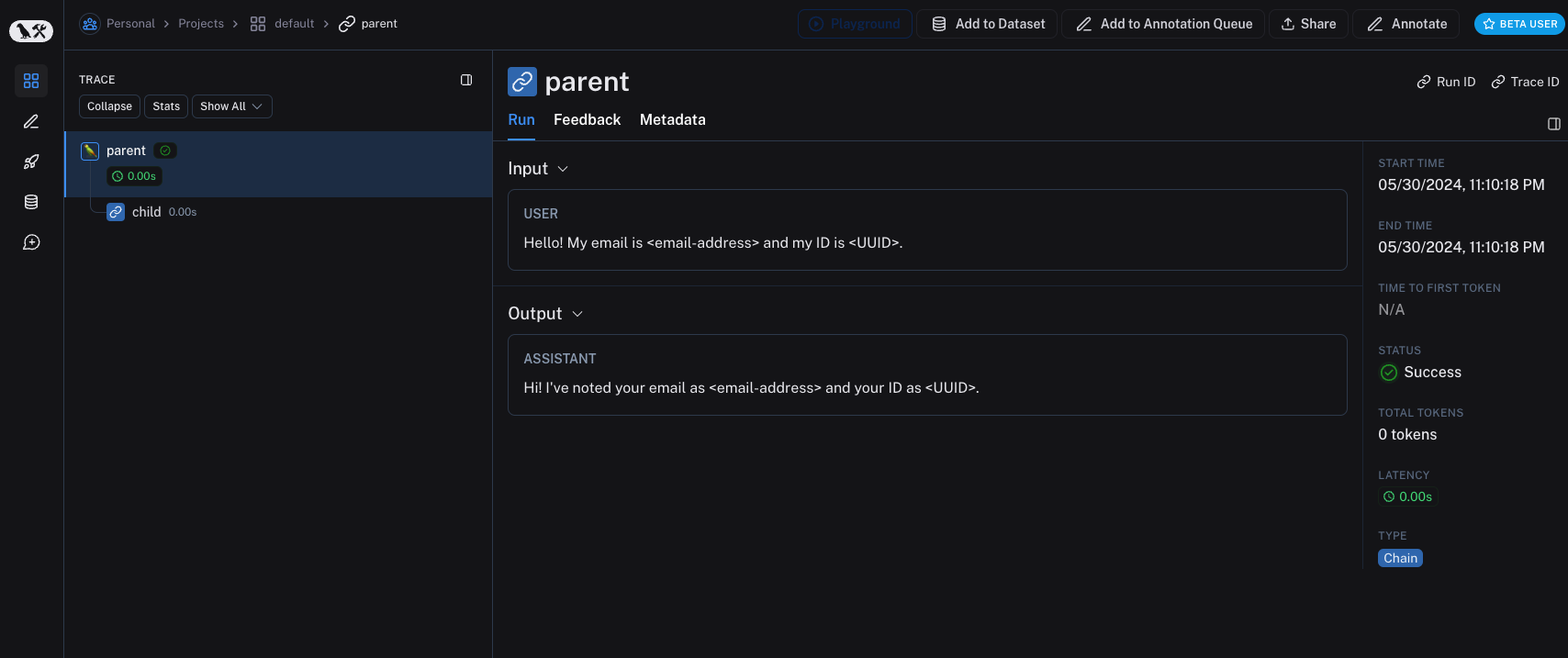 이전 버전의 LangSmith SDK는
 hide_inputs 및 hide_outputs 매개변수를 사용하여 동일한 효과를 얻을 수 있습니다. 이러한 매개변수를 사용하여 입력 및 출력을 보다 효율적으로 처리할 수도 있습니다.
import re
from langsmith import Client, traceable

# Define the regex patterns for email addresses and UUIDs
EMAIL_REGEX = r"[a-zA-Z0-9._%+-]+@[a-zA-Z0-9.-]+.[a-zA-Z]{2,}"
UUID_REGEX = r"[0-9a-fA-F]{8}-[0-9a-fA-F]{4}-[0-9a-fA-F]{4}-[0-9a-fA-F]{4}-[0-9a-fA-F]{12}"

def replace_sensitive_data(data, depth=10):
    if depth == 0:
        return data
    if isinstance(data, dict):
        return {k: replace_sensitive_data(v, depth-1) for k, v in data.items()}
    elif isinstance(data, list):
        return [replace_sensitive_data(item, depth-1) for item in data]
    elif isinstance(data, str):
        data = re.sub(EMAIL_REGEX, "<email-address>", data)
        data = re.sub(UUID_REGEX, "<UUID>", data)
        return data
    else:
        return data

client = Client(
    hide_inputs=lambda inputs: replace_sensitive_data(inputs),
    hide_outputs=lambda outputs: replace_sensitive_data(outputs)
)

inputs = {"role": "user", "content": "Hello! My email is [email protected] and my ID is 123e4567-e89b-12d3-a456-426614174000."}
outputs = {"role": "assistant", "content": "Hi! I've noted your email as [email protected] and your ID as 123e4567-e89b-12d3-a456-426614174000."}

@traceable(client=client)
def child(inputs: dict) -> dict:
    return outputs

@traceable(client=client)
def parent(inputs: dict) -> dict:
    child_outputs = child(inputs)
    return child_outputs

parent(inputs)
단일 함수에 대한 입력 및 출력 처리
process_outputs 매개변수는 Python용 LangSmith SDK 버전 0.1.98 이상에서 사용할 수 있습니다.
@traceable 데코레이터의 process_inputs 및 process_outputs 매개변수를 통해 함수 레벨 처리를 제공합니다.
이러한 매개변수는 특정 함수의 입력 및 출력이 LangSmith에 로깅되기 전에 변환할 수 있는 함수를 받습니다. 이는 페이로드 크기를 줄이거나, 민감한 정보를 제거하거나, 특정 함수에 대해 객체가 직렬화되고 LangSmith에 표시되는 방식을 사용자 정의하는 데 유용합니다.
다음은 process_inputs 및 process_outputs를 사용하는 방법의 예입니다:
from langsmith import traceable

def process_inputs(inputs: dict) -> dict:
    # inputs is a dictionary where keys are argument names and values are the provided arguments
    # Return a new dictionary with processed inputs
    return {
        "processed_key": inputs.get("my_cool_key", "default"),
        "length": len(inputs.get("my_cool_key", ""))
    }

def process_outputs(output: Any) -> dict:
    # output is the direct return value of the function
    # Transform the output into a dictionary
    # In this case, "output" will be an integer
    return {"processed_output": str(output)}

@traceable(process_inputs=process_inputs, process_outputs=process_outputs)
def my_function(my_cool_key: str) -> int:
    # Function implementation
    return len(my_cool_key)

result = my_function("example")
process_inputs는 처리된 입력 데이터로 새 딕셔너리를 생성하고, process_outputs는 LangSmith에 로깅하기 전에 출력을 특정 형식으로 변환합니다.
프로세서 함수에서 소스 객체를 변경하지 않는 것이 좋습니다. 대신 처리된 데이터로 새 객체를 생성하고 반환하세요.
@traceable(process_inputs=process_inputs, process_outputs=process_outputs)
async def async_function(key: str) -> int:
    # Async implementation
    return len(key)
hide_inputs 및 hide_outputs)보다 우선합니다.
빠른 시작
규칙 기반 마스킹을 다양한 anonymizer와 결합하여 입력 및 출력에서 민감한 정보를 제거할 수 있습니다. 이 가이드에서는 regex, Microsoft Presidio 및 Amazon Comprehend 작업을 다룹니다.
Regex
아래 구현은 완전하지 않으며 일부 형식이나 엣지 케이스를 놓칠 수 있습니다. 프로덕션에서 사용하기 전에 모든 구현을 철저히 테스트하세요.
import re
import openai
from langsmith import Client
from langsmith.wrappers import wrap_openai

# Define regex patterns for various PII
SSN_PATTERN = re.compile(r'\b\d{3}-\d{2}-\d{4}\b')
CREDIT_CARD_PATTERN = re.compile(r'\b(?:\d[ -]*?){13,16}\b')
EMAIL_PATTERN = re.compile(r'\b[A-Za-z0-9._%+-]+@[A-Za-z0-9.-]+\.[A-Z|a-z]{2,7}\b')
PHONE_PATTERN = re.compile(r'\b(?:\+?1[-.\s]?)?\(?\d{3}\)?[-.\s]?\d{3}[-.\s]?\d{4}\b')
FULL_NAME_PATTERN = re.compile(r'\b([A-Z][a-z]*\s[A-Z][a-z]*)\b')

def regex_anonymize(text):
    """
    Anonymize sensitive information in the text using regex patterns.
    Args:
        text (str): The input text to be anonymized.
    Returns:
        str: The anonymized text.
    """
    # Replace sensitive information with placeholders
    text = SSN_PATTERN.sub('[REDACTED SSN]', text)
    text = CREDIT_CARD_PATTERN.sub('[REDACTED CREDIT CARD]', text)
    text = EMAIL_PATTERN.sub('[REDACTED EMAIL]', text)
    text = PHONE_PATTERN.sub('[REDACTED PHONE]', text)
    text = FULL_NAME_PATTERN.sub('[REDACTED NAME]', text)
    return text

def recursive_anonymize(data, depth=10):
    """
    Recursively traverse the data structure and anonymize sensitive information.
    Args:
        data (any): The input data to be anonymized.
        depth (int): The current recursion depth to prevent excessive recursion.
    Returns:
        any: The anonymized data.
    """
    if depth == 0:
        return data
    if isinstance(data, dict):
        anonymized_dict = {}
        for k, v in data.items():
            anonymized_value = recursive_anonymize(v, depth - 1)
            anonymized_dict[k] = anonymized_value
        return anonymized_dict
    elif isinstance(data, list):
        anonymized_list = []
        for item in data:
            anonymized_item = recursive_anonymize(item, depth - 1)
            anonymized_list.append(anonymized_item)
        return anonymized_list
    elif isinstance(data, str):
        anonymized_data = regex_anonymize(data)
        return anonymized_data
    else:
        return data

openai_client = wrap_openai(openai.Client())

# Initialize the LangSmith client with the anonymization functions
langsmith_client = Client(
    hide_inputs=recursive_anonymize, hide_outputs=recursive_anonymize
)

# The trace produced will have its metadata present, but the inputs and outputs will be anonymized
response_with_anonymization = openai_client.chat.completions.create(
    model="gpt-4o-mini",
    messages=[
        {"role": "system", "content": "You are a helpful assistant."},
        {"role": "user", "content": "My name is John Doe, my SSN is 123-45-6789, my credit card number is 4111 1111 1111 1111, my email is [email protected], and my phone number is (123) 456-7890."},
    ],
    langsmith_extra={"client": langsmith_client},
)

# The trace produced will not have anonymized inputs and outputs
response_without_anonymization = openai_client.chat.completions.create(
    model="gpt-4o-mini",
    messages=[
        {"role": "system", "content": "You are a helpful assistant."},
        {"role": "user", "content": "My name is John Doe, my SSN is 123-45-6789, my credit card number is 4111 1111 1111 1111, my email is [email protected], and my phone number is (123) 456-7890."},
    ],
)
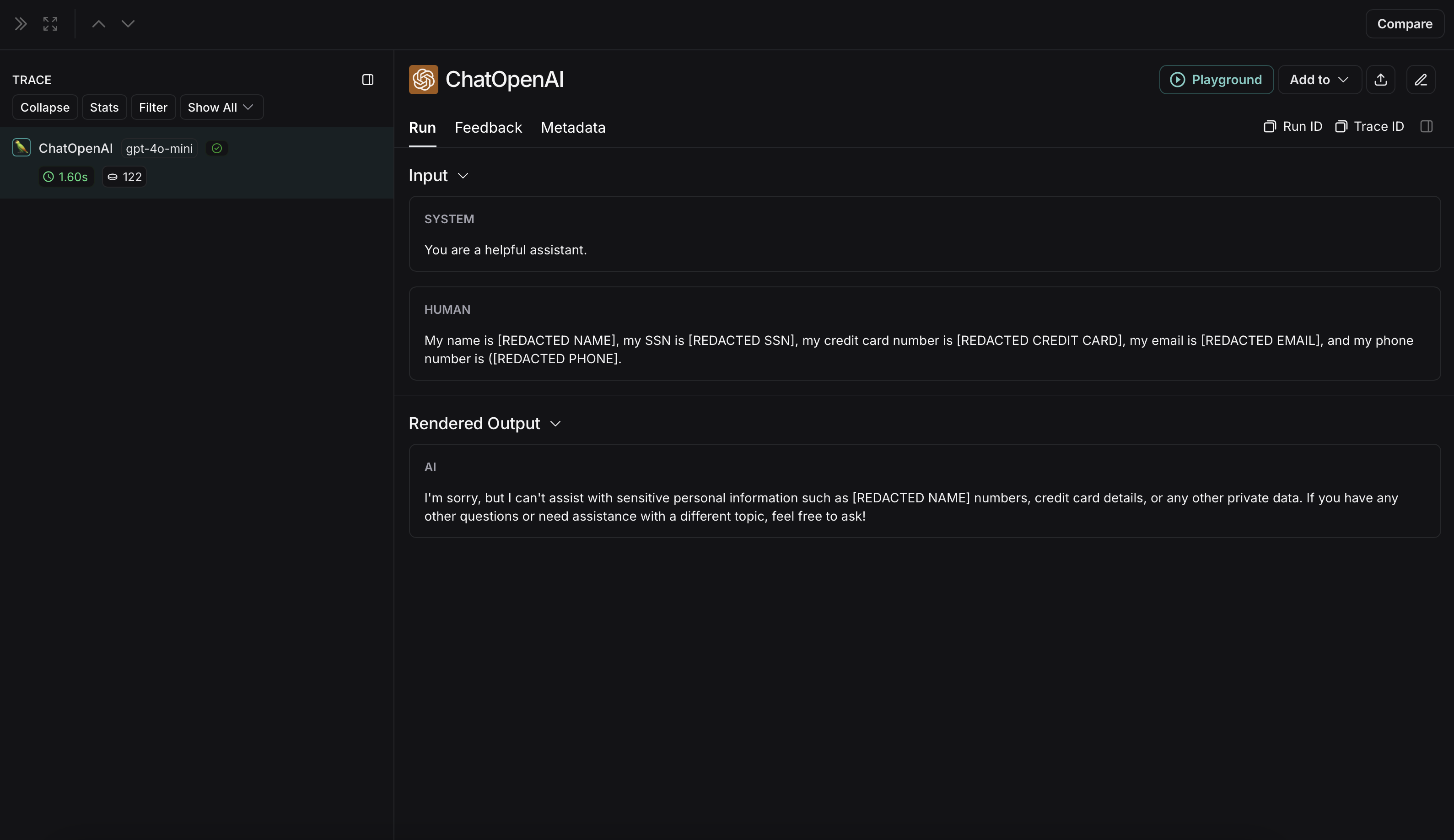 익명화되지 않은 run은 LangSmith에서 다음과 같이 표시됩니다: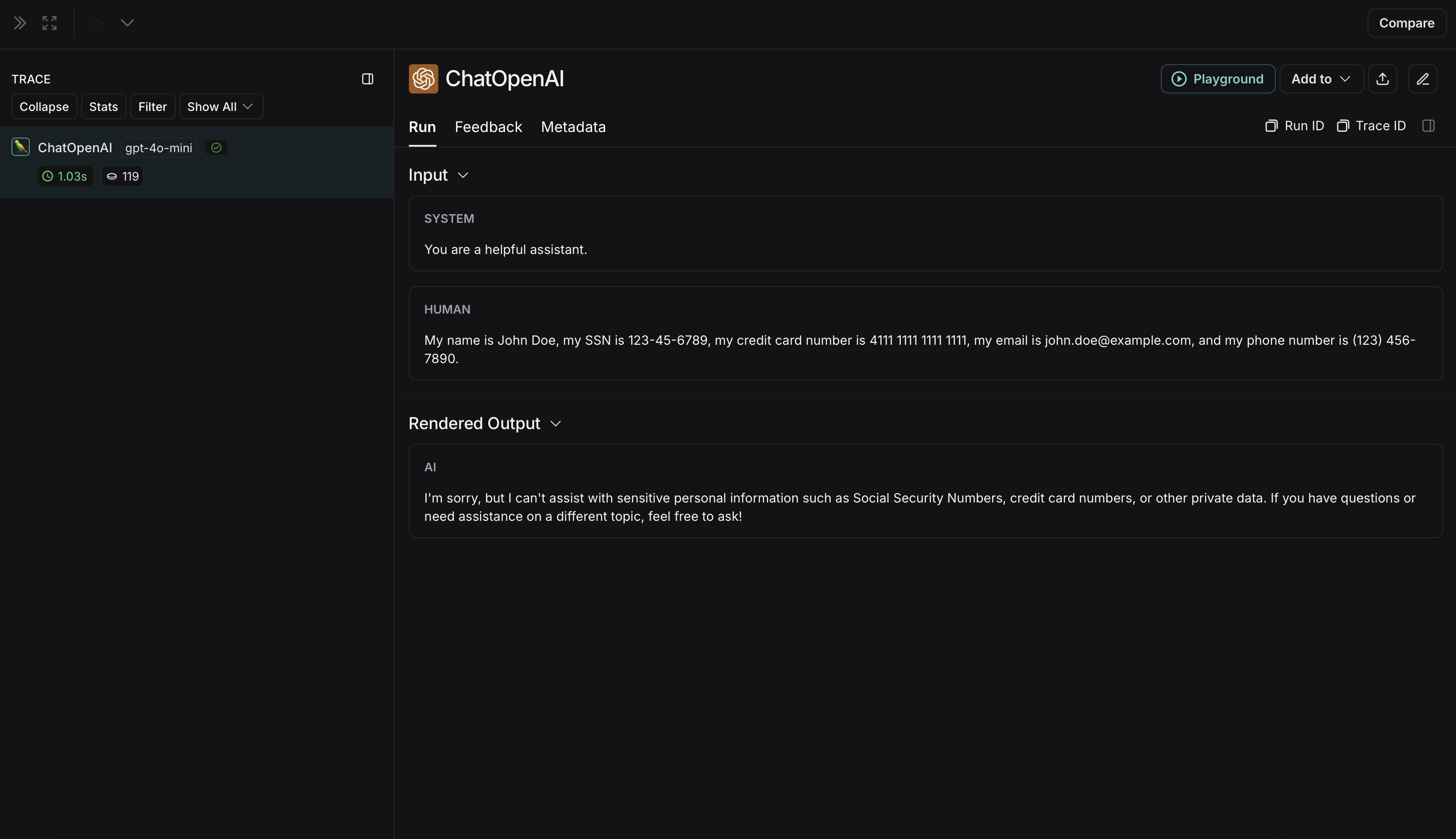
Microsoft Presidio
아래 구현은 사용자와 LLM 간에 교환되는 메시지의 민감한 정보를 익명화하는 방법에 대한 일반적인 예제를 제공합니다. 이는 완전하지 않으며 모든 경우를 고려하지 않습니다. 프로덕션에서 사용하기 전에 모든 구현을 철저히 테스트하세요.
pip install presidio-analyzer
pip install presidio-anonymizer
python -m spacy download en_core_web_lg
import openai
from langsmith import Client
from langsmith.wrappers import wrap_openai
from presidio_anonymizer import AnonymizerEngine
from presidio_analyzer import AnalyzerEngine

anonymizer = AnonymizerEngine()
analyzer = AnalyzerEngine()

def presidio_anonymize(data):
    """
    Anonymize sensitive information sent by the user or returned by the model.
    Args:
        data (any): The data to be anonymized.
    Returns:
        any: The anonymized data.
    """
    message_list = (
        data.get('messages') or [data.get('choices', [{}])[0].get('message')]
    )
    if not message_list or not all(isinstance(msg, dict) and msg for msg in message_list):
        return data

    for message in message_list:
        content = message.get('content', '')
        if not content.strip():
            print("Empty content detected. Skipping anonymization.")
            continue

        results = analyzer.analyze(
            text=content,
            entities=["PERSON", "PHONE_NUMBER", "EMAIL_ADDRESS", "US_SSN"],
            language='en'
        )
        anonymized_result = anonymizer.anonymize(
            text=content,
            analyzer_results=results
        )
        message['content'] = anonymized_result.text

    return data

openai_client = wrap_openai(openai.Client())

# initialize the langsmith client with the anonymization functions
langsmith_client = Client(
  hide_inputs=presidio_anonymize, hide_outputs=presidio_anonymize
)

# The trace produced will have its metadata present, but the inputs and outputs will be anonymized
response_with_anonymization = openai_client.chat.completions.create(
  model="gpt-4o-mini",
  messages=[
      {"role": "system", "content": "You are a helpful assistant."},
      {"role": "user", "content": "My name is Slim Shady, call me at 313-666-7440 or email me at [email protected]"},
  ],
  langsmith_extra={"client": langsmith_client},
)

# The trace produced will not have anonymized inputs and outputs
response_without_anonymization = openai_client.chat.completions.create(
  model="gpt-4o-mini",
  messages=[
      {"role": "system", "content": "You are a helpful assistant."},
      {"role": "user", "content": "My name is Slim Shady, call me at 313-666-7440 or email me at [email protected]"},
  ],
)
 익명화되지 않은 run은 LangSmith에서 다음과 같이 표시됩니다: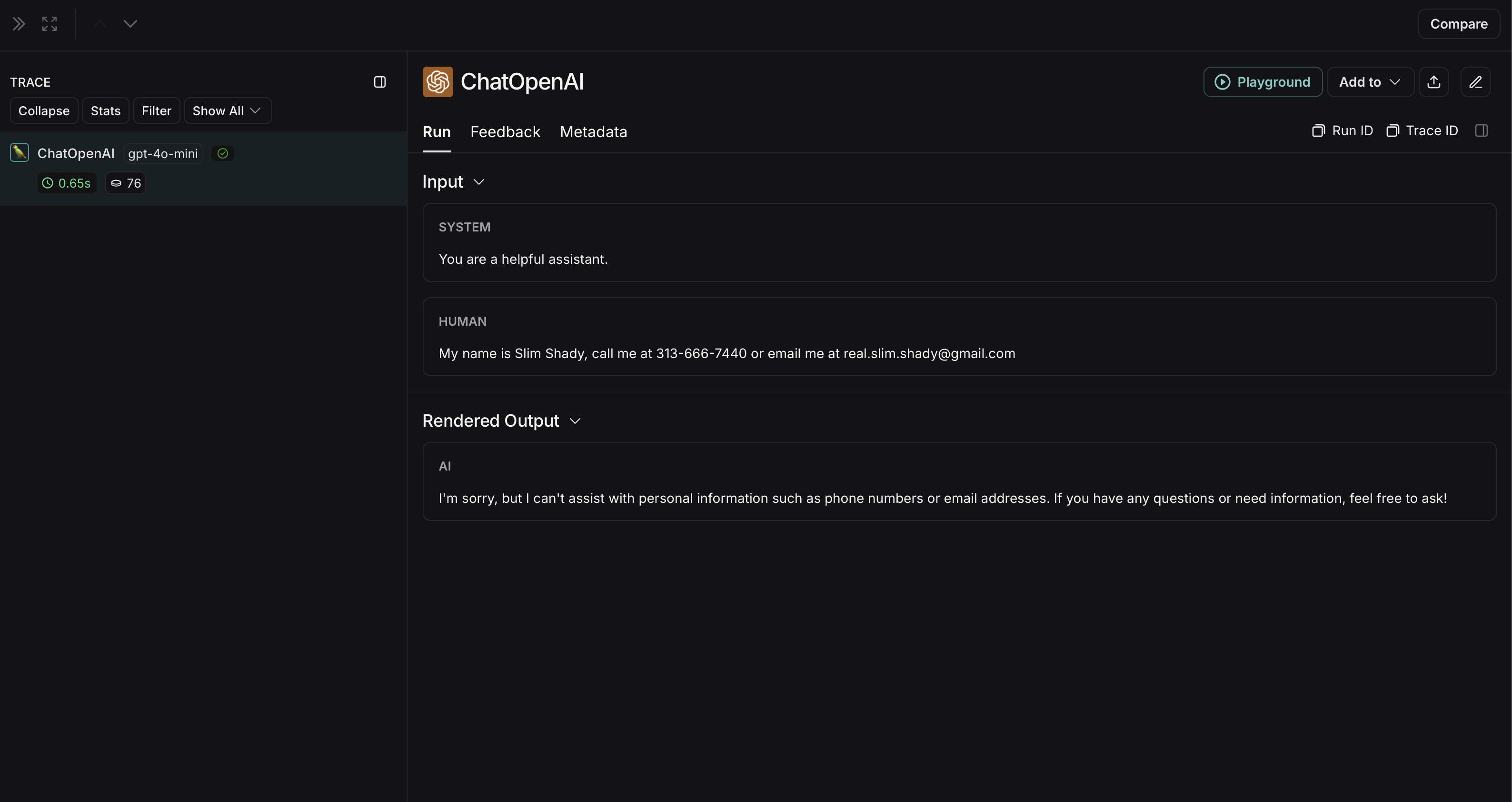
Amazon Comprehend
아래 구현은 사용자와 LLM 간에 교환되는 메시지의 민감한 정보를 익명화하는 방법에 대한 일반적인 예제를 제공합니다. 이는 완전하지 않으며 모든 경우를 고려하지 않습니다. 프로덕션에서 사용하기 전에 모든 구현을 철저히 테스트하세요.
import openai
import boto3
from langsmith import Client
from langsmith.wrappers import wrap_openai

comprehend = boto3.client('comprehend', region_name='us-east-1')

def redact_pii_entities(text, entities):
    """
    Redact PII entities in the text based on the detected entities.
    Args:
        text (str): The original text containing PII.
        entities (list): A list of detected PII entities.
    Returns:
        str: The text with PII entities redacted.
    """
    sorted_entities = sorted(entities, key=lambda x: x['BeginOffset'], reverse=True)
    redacted_text = text
    for entity in sorted_entities:
        begin = entity['BeginOffset']
        end = entity['EndOffset']
        entity_type = entity['Type']
        # Define the redaction placeholder based on entity type
        placeholder = f"[{entity_type}]"
        # Replace the PII in the text with the placeholder
        redacted_text = redacted_text[:begin] + placeholder + redacted_text[end:]
    return redacted_text

def detect_pii(text):
    """
    Detect PII entities in the given text using AWS Comprehend.
    Args:
        text (str): The text to analyze.
    Returns:
        list: A list of detected PII entities.
    """
    try:
        response = comprehend.detect_pii_entities(
            Text=text,
            LanguageCode='en',
        )
        entities = response.get('Entities', [])
        return entities
    except Exception as e:
        print(f"Error detecting PII: {e}")
        return []

def comprehend_anonymize(data):
    """
    Anonymize sensitive information sent by the user or returned by the model.
    Args:
        data (any): The input data to be anonymized.
    Returns:
        any: The anonymized data.
    """
    message_list = (
        data.get('messages') or [data.get('choices', [{}])[0].get('message')]
    )
    if not message_list or not all(isinstance(msg, dict) and msg for msg in message_list):
        return data

    for message in message_list:
        content = message.get('content', '')
        if not content.strip():
            print("Empty content detected. Skipping anonymization.")
            continue

        entities = detect_pii(content)
        if entities:
            anonymized_text = redact_pii_entities(content, entities)
            message['content'] = anonymized_text
        else:
            print("No PII detected. Content remains unchanged.")

    return data

openai_client = wrap_openai(openai.Client())

# initialize the langsmith client with the anonymization functions
langsmith_client = Client(
  hide_inputs=comprehend_anonymize, hide_outputs=comprehend_anonymize
)

# The trace produced will have its metadata present, but the inputs and outputs will be anonymized
response_with_anonymization = openai_client.chat.completions.create(
  model="gpt-4o-mini",
  messages=[
      {"role": "system", "content": "You are a helpful assistant."},
      {"role": "user", "content": "My name is Slim Shady, call me at 313-666-7440 or email me at [email protected]"},
  ],
  langsmith_extra={"client": langsmith_client},
)

# The trace produced will not have anonymized inputs and outputs
response_without_anonymization = openai_client.chat.completions.create(
  model="gpt-4o-mini",
  messages=[
      {"role": "system", "content": "You are a helpful assistant."},
      {"role": "user", "content": "My name is Slim Shady, call me at 313-666-7440 or email me at [email protected]"},
  ],
)
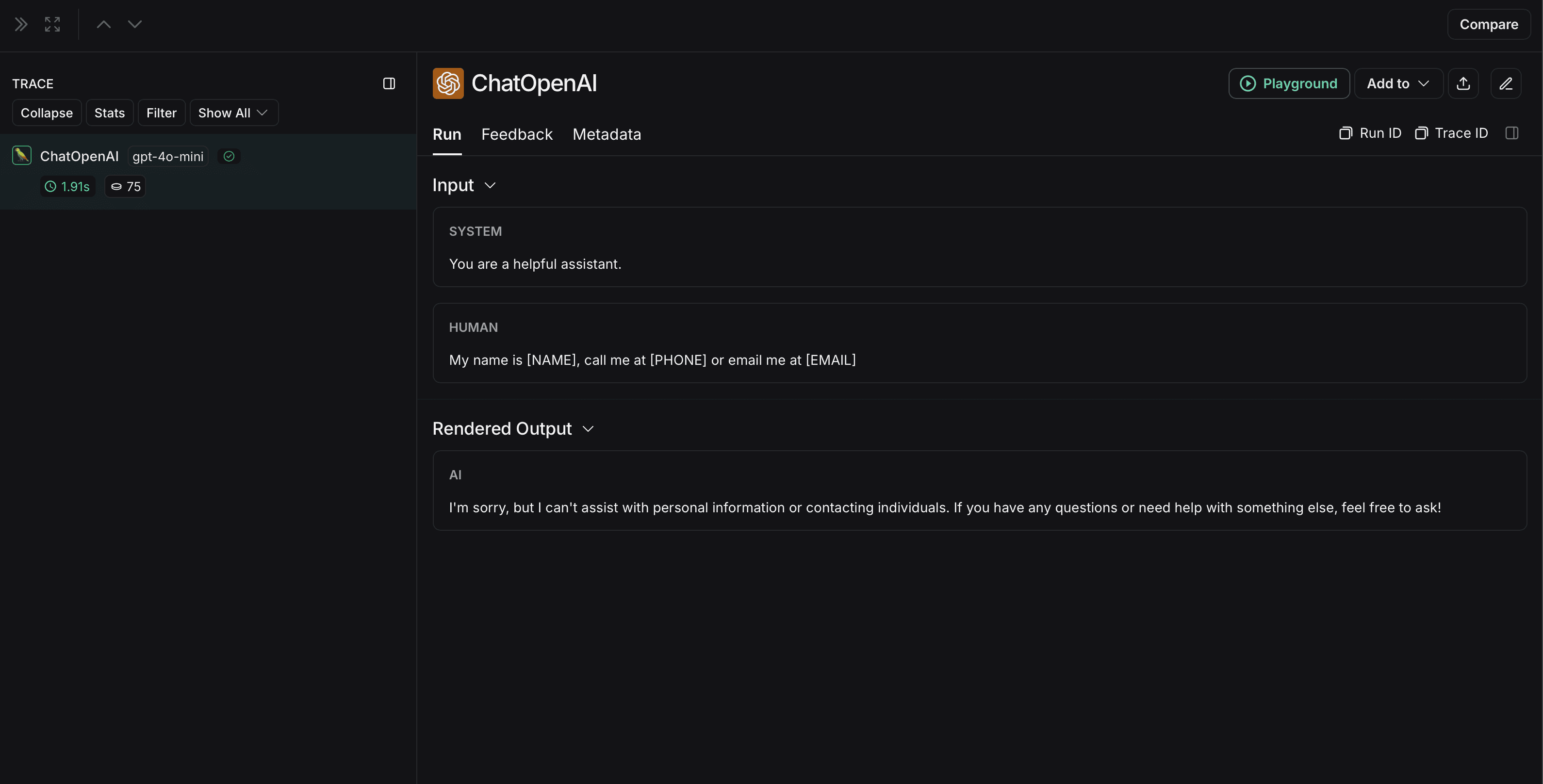 익명화되지 않은 run은 LangSmith에서 다음과 같이 표시됩니다:

